
Imagine this.
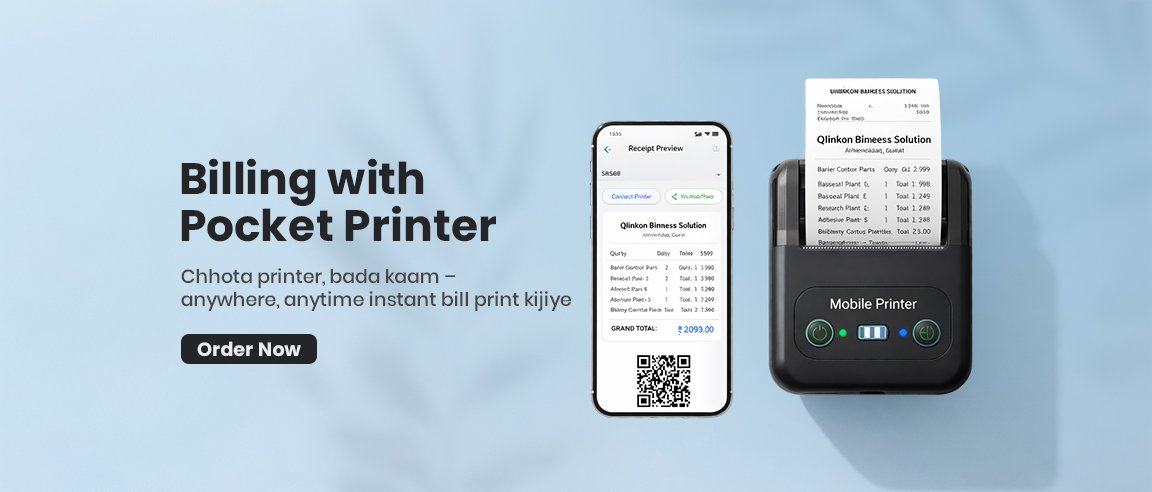
A customer buys from you. You tap a few buttons on your phone. In 2 seconds, a neat printed bill pops out of a tiny printer in your pocket.
No big counter.
No bulky machine.
No waiting.
No messy handwritten bills.
That’s the power of POS billing + a pocket printer.
Whether you run a retail shop, pharmacy, food stall, boutique, mobile van, or pop-up counter—this combo can completely change how you bill customers.
What is POS Billing (in simple words)?
POS (Point of Sale) billing is software that lets you:
- Add products to a cart
- Calculate totals automatically
- Apply taxes/discounts
- Accept payments
- Generate professional receipts
- Track sales and stock
You can run it on:
- A phone
- A tablet
- A laptop
Now add a pocket thermal printer to this… and you have a complete portable billing setup.
What is a Pocket Printer?
A pocket printer is a small, wireless thermal printer that:
- Fits in your hand or pocket
- Connects via Bluetooth to your phone
- Prints receipts instantly
- Doesn’t use ink (thermal paper)
- Works on battery (charge and go)
Think of it as a mini receipt machine you can carry anywhere.
Why This Combo is a Game-Changer for Small Businesses
1) You Can Bill From Anywhere
No counter needed.
- Street vendors
- Delivery staff
- Exhibitions & stalls
- Restaurants (table billing)
- Warehouses
- Home service businesses
You bill where the customer stands.
2) Faster Billing = Happier Customers
No writing bills by hand.
No calculation mistakes.
No waiting in line.
Just: select → print → done.
3) Professional Printed Receipts
Your receipt can show:
- Shop name & logo
- GST number
- Item details
- Tax breakup
- QR code
- Payment mode
This builds trust and professionalism instantly.
4) No Ink, No Maintenance
Thermal printers:
- Don’t need cartridges
- Don’t need refills
- Only need thermal paper rolls
Low cost. Low headache.
5) Perfect for GST & Accounting
Every bill is recorded in the POS.
You can:
- See daily sales
- Export reports
- Track GST
- Manage inventory
No manual register books anymore.
How the Setup Works (Super Simple)
- Install POS billing app on your phone
- Turn on the pocket printer
- Connect via Bluetooth
- Select items in POS
- Tap Print Bill
That’s it.
No wires. No complex setup.
Who Benefits the Most?
This setup is a blessing for:
- Kirana stores
- Medical shops
- Cafes & food stalls
- Clothing shops
- Hardware stores
- Salons
- Mobile repair shops
- Delivery businesses
- Exhibition sellers
- Field sales teams
If you move around while selling → you need this.
Real-Life Example
A tea stall owner earlier wrote bills by hand. During rush hours, customers waited.
Now?
He taps the order on his phone, prints in 2 seconds, collects payment, and moves to the next customer.
More speed = more sales in the same time.
Cost vs Benefit
What you invest:
- POS software (often affordable monthly)
- Pocket printer (one-time cost)
- Thermal paper rolls
What you gain:
- Time saved
- More customers served
- Professional image
- Proper records
- Zero billing mistakes
It pays for itself very quickly.
Final Thoughts
You don’t need a big billing counter to run a smart business anymore.
A phone + POS app + pocket printer is enough to give your customers a fast, modern, professional billing experience—anywhere, anytime.
Small device.
Massive impact.
If you want to upgrade your billing without upgrading your shop space, this is the smartest move you can make.